Opencast offers a rich set of features to support educators, learners, video-operators and administrators.
Produce
Schedule and capture
Automatic recordings and live streaming can be scheduled using the admin interface. Recordings do not have to be pre-scheduled, and can be triggered with buttons in the classroom depending on hardware. Live streaming can be enabled on a per-recording basis.Record online
Opencast includes an online recording tool called Opencast Studio. It can be used to record videos directly in the user’s browser. Feel free to try Opencast Studio right now, without even installing Opencast.
Screenshot of the source selection in Opencast Studio. Upload
Videos can be uploaded to Opencast directly in the admin interface, for end users via the video portal Tobira, or from within various plugins for learning management systems. Capture agents automatically upload videos to Opencast.Manage
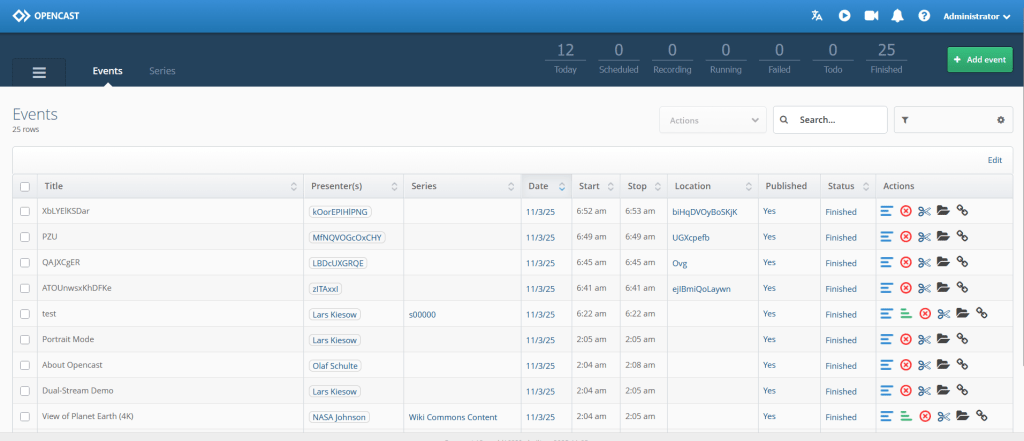
Screenshot of the administrative interface of Opencast. Process
Opencast workflows are highly configurable. Add custom branding and thumbnails, automate caption generation, and even deliver multiple custom resolutions and bitrates. These and other operations are all supported and accessible out of the box.Edit
Using the integrated Opencast video editor you can edit the ingested videos. The editor lets you edit multiple streams simultaneously, add subtitles, and change the cover thumbnail, among other features.Rights management
Fine grained viewing and editing permissions are built in, and can be adjusted easily in the admin interface. Integration with your LMS can provide a single sign-on experience.Distribute
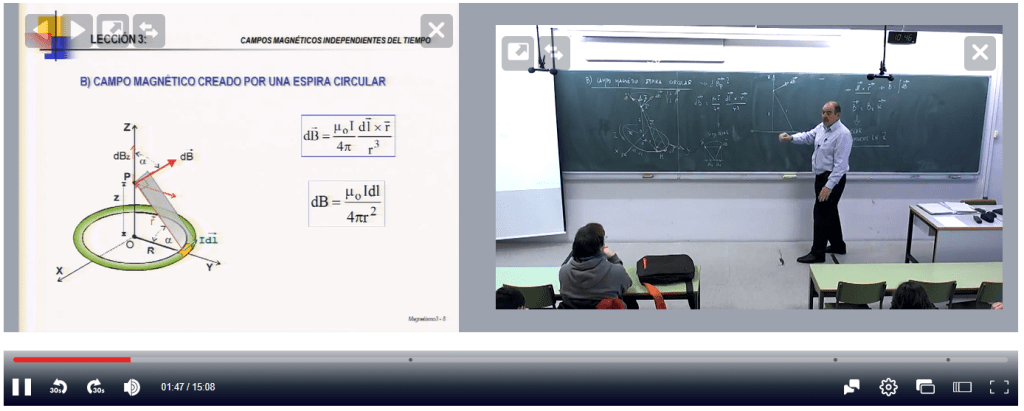
Screenshot of Paella Player playing two videos at the same time. Player
By default Opencast uses the Paella Player. The Paella Player is a modern video player capable of playing multiple streams at the same time. Subtitles, if present, can be displayed overtop of the video. Paella can also be configured to capture viewing metrics if desired.Video Portal
Opencast’s media portal Tobira combines the best of automation, a robust customization engine, and a strong search tool to provide users with a great experience. This portal runs separately from your main Opencast install, keeping your videos online even if Opencast is in maintenance.Integrations
Opencast can be connected to various other systems typical to an academic environment.
 Opencast